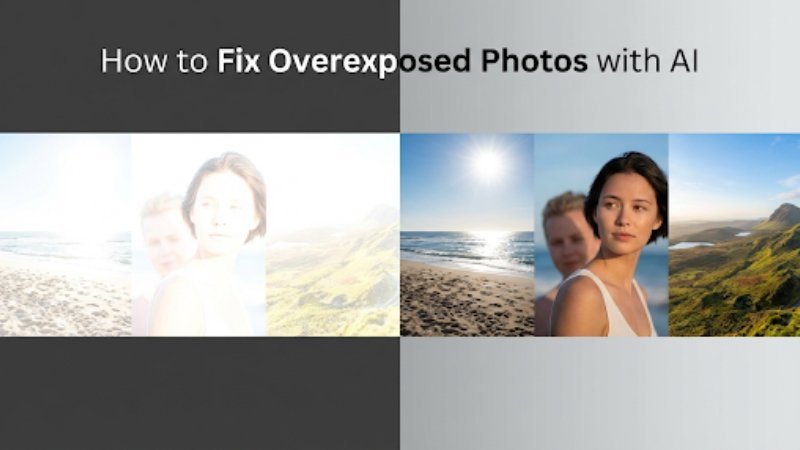
Have you ever taken a photo that looked perfect on your camera screen, only to realize later that it’s way too bright? Details washed out, colors faded, and highlights completely blown—this is a classic overexposed photo problem. Overexposure is one of the most common photography issues, especially with smartphones and quick snapshots.
The good news? You no longer need advanced editing skills to fix it. Thanks to modern AI technology, learning how to fix overexposed photos has become fast, easy, and accessible to everyone. AI-powered tools can automatically recover highlights, rebalance exposure, and restore natural colors in just a few clicks.
In this article, we’ll explore why overexposure happens, the best photo enhancers powered by AI to correct it, and practical tips to prevent overexposed photos in the future.
Part 1: Common Causes of Photo Overexposure
What Is an Overexposed Photo?
An overexposed photo is an image that appears too bright because too much light reached the camera sensor. This often results in lost detail in highlights—such as white skies, pale skin tones, or glowing backgrounds with no texture.
While AI tools can dramatically improve many images, it’s important to note that not all overexposed photos can be fully restored, especially when highlight details are completely gone. Still, AI can often make a huge visual improvement.
Common Causes of Overexposure
Here are some of the most frequent reasons photos end up overexposed:
- Strong sunlight: Shooting under harsh midday sun can easily overwhelm the camera sensor
- Incorrect exposure settings: High ISO, slow shutter speed, or wide aperture
- Automatic camera modes: Cameras sometimes overcompensate for dark scenes
- Bright backgrounds: Snow, sand, or reflective surfaces confuse metering systems
- Poor white balance: Can make images appear overly bright or washed out
Understanding these causes helps explain why fixing exposure afterward is sometimes necessary—and why AI tools are so valuable.
Part 2: Best AI Tools to Fix Overexposed Photos
AI-powered editors analyze your photo intelligently, adjusting brightness, contrast, highlights, and colors automatically. Below are some of the most effective tools available today.
1. Leawo Photo Enhancer
Leawo Photo Enhancer is a powerful AI-driven solution designed specifically for improving photo quality. It excels at correcting exposure issues while maintaining natural colors and fine details.
Key strengths:
- Intelligent highlight recovery
- Automatic color correction and exposure balancing
- Preserves skin tones and textures
- One-click enhancement powered by AI
If you’re searching for a simple yet effective way to fix overexposed photo issues without manual tweaking, Leawo Photo Enhancer is a strong choice for both beginners and casual photographers.
2. Somake AI Color Corrector
Somake AI Color Corrector focuses on restoring realistic colors in poorly exposed images. It analyzes brightness distribution and rebalances color tones accordingly.
Best for:
- Correcting washed-out colors
- Enhancing contrast after exposure fixes
- Improving overall visual harmony
It’s particularly useful when overexposure has dulled color vibrancy rather than completely blowing out highlights.
3. Pixelcut
Pixelcut is popular among content creators and social media users. Its AI tools are optimized for fast edits and clean results.
Highlights:
- Automatic exposure correction
- Smart lighting adjustments
- User-friendly interface
Pixelcut works well for portraits and lifestyle photos where lighting consistency is crucial.
4. AI Ease
AI Ease lives up to its name by offering quick, automated photo enhancement. It focuses on global exposure correction rather than deep manual controls.
Why choose it:
- Fast processing
- Beginner-friendly workflow
- Balanced brightness and contrast adjustments
It’s a solid option if you want instant results with minimal effort.
5. Bylo.ai
Bylo.ai specializes in image restoration and enhancement using deep learning. It can handle moderately overexposed images while improving clarity.
Strengths:
- Smart exposure normalization
- Improved mid-tone details
- Clean and natural-looking results
It’s ideal for photos that are slightly overexposed rather than severely blown out.
6. Pokecut
Pokecut is known for its AI-powered background and lighting adjustments. It can help correct exposure by intelligently separating subject and background.
Best use cases:
- Product photos
- Portraits with bright backgrounds
- Social media visuals
Pokecut’s AI ensures the subject remains properly lit even when the original image is too bright.
Part 3: Tips to Prevent Overexposed Photos
While AI tools are incredibly helpful, prevention is always better than correction. Here are some practical tips to reduce the risk of overexposure in future shots.
1. Use Exposure Compensation
Most cameras and smartphones allow exposure compensation. Lowering exposure slightly (–0.3 or –0.7) can preserve highlights in bright scenes.
2. Turn on HDR Mode
HDR (High Dynamic Range) combines multiple exposures into one balanced image. It’s especially useful in scenes with bright skies and darker subjects.
3. Tap the Subject to Focus
On smartphones, tapping your subject adjusts both focus and exposure. This helps prevent the camera from over-brightening the entire scene.
4. Avoid Shooting in Harsh Midday Light
Early morning or late afternoon light is softer and more flattering. Midday sun is one of the biggest contributors to overexposed photos.
5. Adjust White Balance
Incorrect white balance can make images appear brighter than they are. Setting the correct white balance helps maintain accurate tones and exposure.
Part 4: Conclusion
Overexposure is a common but frustrating photography issue—but it no longer has to ruin your images. With modern AI tools, learning how to fix overexposed photos is quicker and easier than ever. From intelligent highlight recovery to advanced color correction, AI-powered solutions can dramatically improve image quality in seconds.
Tools like Leawo’s best photo enhancers discussed in this guide offer reliable ways to restore balance and detail to your photos. Pair these tools with smart shooting habits—like using HDR and avoiding harsh light—and you’ll dramatically reduce overexposure problems moving forward.
In short: use AI to fix what you can, and use better shooting techniques to avoid overexposure in the first place. With the right combination, even a once-overexposed photo can look vibrant, balanced, and beautifully natural again.